
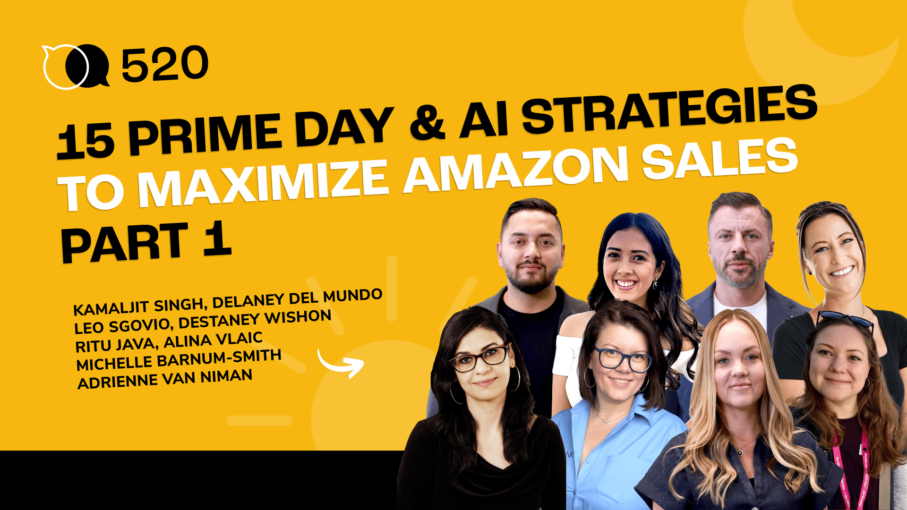
#520 – 15 Prime Day & AI Strategies to Maximize Amazon Sales – Part 1
Audio version above. Video version below
In this special Part 1 of a two-part AM/PM Podcast series, Carrie Miller brings together top Amazon, TikTok Shop, PPC, image optimization, AI, and Helium 10 experts to help sellers prepare for Prime Day. The episode focuses on strategies that can be implemented before the rush, from improving conversion rates and campaign structure to using AI tools for faster execution.
The first set of experts dives into practical Prime Day tactics, including using AMC audiences to target higher-converting shoppers, scaling international keyword research with Google Sheets AI and Helium 10, and using AI-assisted workflows to build PPC bulk files. The episode also highlights the importance of main image testing, with strategies from PickFu and AMC One Step showing how sellers can benchmark against competitors, test creative angles, and use SERP simulations to improve click-through rates.
TikTok also plays a major role in this episode. Sellers learn how to validate products with Helium 10’s TikTok Hot Videos, use TikTok as a top-of-funnel channel for Amazon Prime Day, and create subtle content that drives inbound interest without relying on overt Amazon calls to action. Experts also discuss protecting margins, avoiding unnecessary over-discounting, and using voice-to-text AI tools like WhisperFlow to speed up daily e-commerce workflows.
The episode closes with advanced strategies around external traffic, listing optimization, Market Tracker 360, hybrid Prime Day deal structures, and AI-powered product briefs. The biggest lesson is clear: Prime Day success is not just about running a discount. It is about preparing early, improving conversion, understanding your market, using data wisely, and applying AI where it saves time and sharpens decision-making. This first part sets the foundation for sellers who want to turn Prime Day traffic into profitable, long-term momentum.
In episode 520 of the AM/PM Podcast, Carrie, Shivali, and guest speakers discuss:
- 00:00 – Introduction
- 01:37 – Destaney Wishon: AMC Audience Strategy
- 05:48 – Ritu Java: AI keyword and PPC Hacks
- 15:38 – Adrienne Van Nimer: Image Testing Workflow
- 19:18 – Alina Vlaic: Prime Day, TikTok, and AI tips
- 26:02 – Michelle Barnum-Smith: TikTok Prime Day Strategy
- 34:58 – Kamaljit Singh: Main Image Testing Tip
- 41:11 – Leo Sgovio: External Traffic and Listings Strategy
- 52:39 – Delaney Del Mundo: Deals and Market Insights
Transcript
Carrie Miller:
15 Amazon experts are sharing their top Prime Day AI and Helium 10 strategies to help you prepare for Prime Day. This is an episode you definitely don’t want to miss. Hello everybody, and welcome to the AM/PM podcast.
Carrie Miller:
My name is Carrie Miller and I’ll be your host. And this is the show where we discuss all things, Amazon, TikTok shop and Walmart private label, and how to generate recurring revenue streams 24 hours a day during the AM and the PM, hence the name of the show. Get it? AM/PM podcast. And as a matter of fact, tomorrow I will be going country line dancing. And even though I will be twirling around the dance floor, I will still be making money online. How cool is that? Pretty cool. I think.
Carrie Miller:
Hello everyone. And we have some really great information to share with you today. We have so many amazing experts, and I know y’all know from just some of the things that we’ve sent out that we’ve got just some of the best in the industry that are going to be sharing Prime Day strategies, AI strategies, and Helium 10, some of them all combined. So it’s going to be just so much great information and definitely way ahead of time so that you can actually do some of these things before Prime Day. So Prime Day is going to be probably around the June timeframe, but even if you don’t use these strategies for Prime Day, there, a lot of them are something that you can use all the time. So you have a lot of content here for you all today.
Carrie Miller:
And so I’m actually going to bring on our first guest and she’s one of our favorites here at Helium 10. She does our Tacos Tuesday and she’s doing our Outsource to Optimize. So I’m going to welcome her to the stage. Destaney, welcome.
Destaney:
Hello, hello.
Carrie Miller:
Thanks so much for joining us. I’ll let you have the stage and just go ahead and share your strategies.
Destaney:
Amazing. Who all in the audience has been using AMC? We’ll start with that because my quick tip is how you can use AMC audiences to immediately double or triple your conversion rate on Prime Day. So a few things, AMC audiences can be relatively difficult to scale because you have to apply them at the campaign level. They can also be difficult because sometimes you can choose an audience that is too small to actually be applied. But with this specific strategy, what we’re doing is we’re identifying our highest traffic, highest competition keywords. There’s usually five to 10 keywords. That’s every brand’s dream to rank on. We use Search Create Analyzer for this.
Destaney:
We pull out our top keywords and we actually create a brand new campaign. We want this to be completely separate and focus solely on Prime Day. So we’re going to take those five to 10 keywords. We’re going to put them in exact match. We’re going to create a titled Prime Day. And what we’re going to do is we’re then going to go into AMC. So everyone here should have access to AMC now. It’s been rolled out and available for everyone, regardless of using DSP or your spin levels. And we’re going to look for the audiences that we think are going to be most likely to buy from us on Prime Day.
Destaney:
Now, one of those audiences could be customers who like deals. If you’re running a dealer discount, then you can select an audience that actually has a higher likelihood of purchasing a dealer discount. They like savings, right? So that’s going to be the audience for you. Or maybe you have a higher price product. You’re going to go look at the audience and you’re going to identify the audience that’s more likely to buy premium products.
Destaney:
That is an audience that you have the ability to access with AMC. Or you may just do someone who’s more likely to purchase within your category. That is also an audience that you can auto apply. That one’s templated within Ad Console. Don’t overthink it. Just think about how you want to be positioned on Prime Day. Higher price point, bigger dealer discount, or you can even use AI tools to then identify some AMC audiences that are going to be good for you. What you’re going to do is you’re going to take that audience and you’re going to apply it to your Prime Day specific campaign. Now, this is where things can get a little bit tricky with AMC audiences.
Destaney:
Since AMC audiences are applied at the campaign level, it is technically a bid boost. So if you’re familiar with bid modifiers, it’s the same application. You’re taking this AMC, you’re attaching it to your campaign, and then you’re using it like a bid boost. So what we do is we use that 5 to 10 keyword list of highest traffic, highest opportunity for sales. We put it in the campaign at exact match, and we put very low base bids. The reason we put low base bids is because I don’t want to target everyone who’s looking for those keywords. I only want to target the audience that I’ve identified through AMC. So I set 10 to 15 cent base bids for all of my high traffic keywords, which normally would get us no impressions during Prime Day because Prime Day is so competitive. I then apply a bid boost for my AMC audience.
Destaney:
I usually do something relatively aggressive, 8 to 900% just for that audience, which means that this campaign is only going to target the audience, which I know is already going to be more than likely a higher converting audience because I’ve identified that through all of my AMC work. What this does is this segments a small section of my traffic solely focused on traffic that is more than likely going to have a 2 to 3x conversion rate because we’ve niched down our competitive keywords. That also means I can control my budget on those keywords. And then when I’ve maxed out that audience, my traffic is going to start flowing to my other normal keywords. So that is my tip and recommendation.
Carrie Miller:
We have somebody else who is also a PPC expert, but also an AI expert in the space. She’s shared a lot of incredible strategies. She’s always really on the cutting edge of AI and just integrating it as an e-commerce seller. So I’m going to go ahead and bring on Ritu.
Ritu:
So I actually have two hacks today. The first one is the 10 language keyword hack. Essentially, I’m going to be using a combination of Google Sheets, AI, and Helium 10 to show you guys how you can scale if you have multiple languages. And honestly, this hack can be used for anything. It doesn’t have to be for languages, but I’ll just go ahead and get started here. So the first thing to say is that I don’t know how many of you know this, but Google Sheets actually makes it very, very easy for you to kind of scale with formulas that are actually prompts. So it’s different when you’re actually going to an LLM like ChatGPT or Cloud or Gemini. You actually have to have a conversation there in that environment, in that UI. But Google Sheets actually makes it easy.
Ritu:
All you need to do is say equals AI and then just put your prompt in there. And the good thing is that inside your prompt, you can actually reference certain cells. And that way you can make your whole formula very repeatable. So let me just show you some examples to see how this can be done. So first of all, let me show you this example. Okay. So let’s say if I were to say, this is my product in column A. These are my key benefits. So let’s say I just take one key benefit. And then this is the bullet point that I want at the end of it. So I have put a formula here. So look at the formula. It says equals AI. And then you write your prompt. You can say write one Amazon listing bullet point for whatever value I have in cell A2, which is this one.
Ritu:
That is highlighting that the keyword benefit in cell B2. So now I’m just going to show you how I can scale this. I can simply take this formula, drag it down. And now I can just say generate. And it will just give me a new bullet point. But this time it’s going to use this product and this key benefit. So as you can see, it’s super easy. Now let me show you the practical application of it at scale. So let’s say I have all these keywords in English and I have all these markets in Italy, Spain, and so on. So what I’m going to do is I’m just going to take my formula where again, I’ve done something similar and I’m just going to drag it down. You’ll see in a minute. So I just dragged it down and three things are getting researched all at once. So this is in Italy. So I’ve picked up three keywords. Now I’m just going to take these three keywords and I’m going to take them over to Helium 10.
Ritu:
And in Cerebro Plus Magnet, there is an option to analyze keywords at scale. So you can have up to 200 keywords over here. Now I’ve just pasted these three keywords and I say analyze, and it just gives me the search volume for those three keywords. So it makes it really, really easy to kind of scale. Now I can always export this data, bring it back into my translation tool here. And what I’ve done here is I also have another piece where all the data that I get from Magnet, I put the keyword here, the search volume here and the market here. And then I have created this little application that updates my search volume everywhere in my translations tool, which is right here. So as you can see, it’s added search volume in the right columns. So that was my first hack.
Ritu:
Basically it’s just a great way of combining basic AI capabilities that are already inbuilt into Google Sheets and then combining it with Cerebro Magnet and then bringing that back and integrating the whole thing. So you can do a lot with very few back and forths with AI tools. So that’s the first one. And then I’m on to my second hack, which is to do with bulk files. Now all of us that are running PPC need to use some sort of bulk file at some stage, right? The moment we start doing more than just one or two campaigns at a time, it’s always better to have bulk files that can be generated offline and then uploaded to Amazon, right? I know it’s very complicated to run bulk files and often people dread creating bulk files. There’s a lot of errors and it’s kind of hard to understand. It’s clunky and so on.
Ritu:
So I’m going to show you how you can build your own cloud skill in 15 minutes. I’m not going to take 15 minutes, but it’s very easy to do it now with AI. But before that, I want to just share how as an agency at PPC Ninja, we’ve kind of progressed from using automation within Sheets to generate bulk files. That used to be our first automation for this kind of generation at scale where one of the Sheets would just be inputs like here are my keywords. This is the bidding strategy. These are my bids and so on. And then we just press a button and an app script works on Google Sheets and generates a bulk file. This was like two years or maybe three years ago. The output would be a bulk file.
Ritu:
Then we transitioned over to a more sophisticated system with a UI based operation, which would basically do the same thing, but it would take all these inputs in a very easy to kind of work with UI. And I can show it to you right here. So this is what it looks like, where you can put your actions, your campaign type, you can select campaign type, add your keywords and so on. So that was our second kind of iteration of like generating bulk files at scale. And now we have a third alternative, which is just using AI. Now, I don’t know how many of you have created skills, but skills are really great for generating predictable outcomes.
Ritu:
All you need to do is create like a human language, you know, very simple kind of instruction for the AI and the AI just takes your instruction, reads it, and then just does what you said. So it’s like easy, it’s conversational, it’s basically English, right? So in order to do this, you have to do a few things. You have to kind of train your AI in some basic things like what is a typical bulk file structure looks like. And you know, there’s information about that everywhere. Like you can just go to Amazon’s bulk file generation tool, you can actually just give your AI a sample of the template. You can also give it instructions from Amazon’s literature about bulk files. And that pretty much is it, you know. And then other than that, you just need to train that AI on your typical naming convention.
Ritu:
So let’s say if you start your campaigns with the SKU, followed by, you know, the ad type like SP, SB, SD, or if you do something fancier than that, like SPKW, etc. So you just need to train that skill on saying, hey, this is my typical naming convention. And then if you want to set some defaults, you can do that as well. So I’m just going to give you a demo now of how we do it in Claude. So this is Claude. And I just did one real quick just before this. So all I did was I opened a new Claude Code instance. And I just said, create a bulk file for this SKU with these keywords, bamboo cutting board, bamboo cutting chopping board, and my bid is $1. Then it actually starts asking me question, what type of match type is this?
Ritu:
So I say exact, is this a new campaign? Or are you adding keywords to an existing campaign? What’s the daily budget, etc., etc. And then it just creates this bulk file for me. And let me show you the bulk file. And the bulk file is perfect in the sense that it has everything that you need to just simply upload to Amazon. Like we use this all the time. It’s so much easier than having to deal with either a spreadsheet or like a UI based system. It’s just a conversation based bulk file creation. And anyone can do this. So if you have Claude or actually if it’s a GPT, you can also create a GPT.Give me a second. I’m just going to… Yeah, if you want to create a GPT, that’s also fine. But in case you are interested in our kind of templated guideline on how to go about it, you can just snapshot that QR code and then just make your own Claude bulk file skill. And that’s all I have. Thanks so much, guys.
Carrie Miller:
All right. So next up, we have someone from PICFU. Adrienne from PickFu is going to be joining us, and she is going to be sharing some strategies for images. And I think images are incredibly important. So we have a few different speakers who are talking about different strategies for images. So I’ll go ahead and bring Adrienne on.
Adrienne:
Yeah, I’m Adrienne from PickFu. I am going to be sharing an AI strategy following our recommended main image optimization process. The cool thing is that you can run this entire workflow without leaving Claude. So if you’re not familiar with PickFu, real quick, we’re an online consumer research platform. We have a built in audience panel that you can target to reach your ideal customers and get feedback on your products and listings. We just launched our MCP connector with Cloud so that you can access PickFu through Claude.
Adrienne:
I’m going to speed run through this workflow. If you have any questions, just reach out in the chat or reach out to me on LinkedIn. I’m happy to answer them. So like I said, this is our proven main image optimization process. I will skip through. We generally recommend starting with a benchmark. So you can’t really optimize until you know where you stand against your competitors. So we always recommend comparing your current listing and your current main image to your top three or so competitors. You can do this by asking Claude, sharing your ASIN and asking it to pull three of your competitors, run a PickFu test to get feedback on what people like or dislike or what would make them click on your image versus competitors’ images.
Adrienne:
Then you’re going to use that feedback to actually generate new main image variations with AI. So everyone’s using AI image gen tools now. Obviously, you don’t generally want to use them for your final image. You might want a human to actually finalize things, but they’re good for validating different creative directions. So based on the feedback from your previous test, you can ask Cloud to generate new product images and then you’re going to run a test on those image variations. You can see one example we did here where this option over here was the winner with 53% of the audience votes.
Adrienne:
You can ask Claude to run a PickFu test against your image variations and decide which one is the strongest. And then from there, you can break down the themes and the audience comments, figure out what people liked or disliked about each option and use that to keep iterating on your image. So we always emphasize iterating and testing and validating with real humans is super important because even as we use more and more AI tools to generate images, to recommend products and everything like that, real people are still ultimately the ones making decisions in the end.
Adrienne:
And so real consumer feedback is very important still. So you can ask Claude to break down the feedback, recommend next steps, what you should change with your image, what directions you should try next, and basically just keep iterating until you have a confident winner. We typically look for 70% of the votes before you go off and kind of go with that direction in your main image. You can hand it off to your designer, your agency, whoever is doing that with a confident, you know, feeling confident that you have a strong direction. And you can also retest it against the same competitors from step one to validate that, you know, it’s getting a higher percentage of the votes than it did in the first round. This is the proven process that several of our customers use to optimize their main image.
Adrienne:
I’m calling out Daniela Bozeman from MindfulGoods, who has seen a bunch of her clients increase sales in Amazon by following this main image process. So like I said, you can set this up yourself in Claude, signing up for PickFu for free, connecting our MCP to Cloud and trying this workflow yourself. So feel free to learn more at our website. But I think that is about it.
Shivali:
Up next, we’ve got a speaker who is the whole reason we’ve got the CPR number. How many of you guys use the CPR number? Let me know in the chat. You guys use it for keyword ranking? Helps you rank a whole lot faster. So I hope you do. She’s always testing in this space. And that is why she’s here today. Let’s go ahead and bring up Alina.
Alina:
I prepared three short strategies. One is Prime Day, one is TikTok, and one is AI. First one, basically, it’s something that I want to share. One of my brands is in a quite of a special category. I mean, not that popular, let’s say. It’s in industrial and scientific. And we do not do a lot for Prime, to be very honest. And we have seen that in the last couple of years. And when I say we do not do much for Prime, I’m saying not very aggressive deals, not very aggressive promotions, not spend a ton of money on PPC. And analyzing throughout the last couple of years, we’ve realized that actually traffic is there. We 3X, 4X, 5X sometimes the sales during Prime Day. But at the same time, we keep our profit margins because everything is like a snowball coming from the increased traffic.
Alina:
So basically, my strategy is don’t overdo it on Prime Day. Try to also save your margins because those are the most important. It’s not important to sell a lot with no profit. Better to sell less, but with profit in your pocket. That’s something that I like to remind some of the sellers. However, if you do want to create some deals, some Prime Day deals, remember that if you set them up by April 30th, which is tomorrow, so there’s still time, you can get $50 off their deal fee, which can be important, especially if you have a lot or if you want to test things out. This is coming from our Amazon account manager, so it’s official. I don’t have any Prime deals, but I trust her. Okay, now moving to the second strategy, which is TikTok.
Alina:
I am a Helium 10 user since forever. Since I like to say Helium 10 was just Helium, they had like three tools. And one of the things that I appreciate the most is the fact that they keep adding stuff and tools inside the platform. So now, of course, everybody’s speaking on TikTok and everybody wants to be on TikTok, but TikTok, it’s a very complicated platform. It’s not easy. It’s sort of another seller central. You might end up spending tons of money without getting results. So my recommendation and my strategy for today is try to maybe validate your product before going to TikTok, or at the same time, if you already are on TikTok, you can use this section in Helium 10 for another strategy. So basically, it’s a two-in-one.
Alina:
It’s called TikTok Hot Videos. It’s inside the TikTok suite of tools in Helium 10. And what it does, basically, you can search by product title or keywords category, and you can select your time. So for example, let’s say we’re going to have beauty and personal care. Not a great example. Beauty is good on TikTok, but anyway, just for the sake of the example. And what this tool does, basically, it’s showing you the videos that were made using this keyword or where this keyword was mentioned, showing products in this category on TikTok. And if you go and sort by GMV, then you’ll see, for example, this one in the last seven days sold 426 items. This is a good product.
If your product is relevant to this one, then it will have a chance. You get my point. At the same time, if you are already selling, you are already present on TikTok Shopping, and you want to do more, you can do this here for competitors.
Alina:
Try keywords, search for categories, try to find your competitors, and see which of their videos are performing extremely well, and take those videos and send them as an inspiration when you reach out for creators in your creator outreach. Okay. That was the TikTok strategy. And now moving on to the AI one, which is a tool that literally changed my life in the last month ever since I attended a conference in Prague. Somebody mentioned this tool, which is called WhisperFlow. And what it does, basically, it you speak to your phone or to your laptop or computer, and it turns it into text. It corrects all the mistakes. It puts words into phrases. It takes out all the things that we do, and it makes everything move so fast.
Alina:
For example, if I’m talking to Claude, if I’m working on a larger project, instead of typing, you’re talking. Just imagine, how fast can you talk? I’m talking to my email right now, so I’m speaking, and the email gets written, and I’m just correcting it, for example, if I want to explain to a client more details. They say it’s literally four times faster than typing. Can be more, can be less, depending on how fast of a talker you are. But try it out. They have a free trial. If you’re using AI, any type of language, any type of LLM, this will literally change your life. And that was it. Thank you.
Shivali:
Okay, next up, we’ve got an expert who was on Scale Stories. She was our TikTok expert on the show, and she advises brands on how to get started with TikTok shop, any sort of issues you might be running into, she’s your lady. And without further ado, let me go ahead and bring up Michelle Barnum-Smith. All right.
Michelle:
So we’re focusing specifically on TikTok strategies for Amazon Prime Day. And it’s really, usually I’m talking about TikTok shop. So this is a very different approach, primarily because, I don’t know if you guys know this, but TikTok itself, and TikTok shop started because of the hashtag TikTok made me buy it, that really started to go viral, especially around Amazon Prime Day. So it’s kind of like we have Amazon to thank for being on TikTok or having TikTok shop as an option for sellers to sell on now. And historically, uh, TikTok sees surges of over 90% in video views mentioning Prime Day in the lead up to the event. So TikTok is a fabulous top of funnel, um, awareness generator for your products and creators are looking for content and, and products to rep for Prime Day.
Michelle:
So if you’re not wanting as a brand to create content, there’s plenty of creators who will create it for you. Now, something to just be aware of is that TikTok community guidelines, um, do not allow external calls to action, meaning, go get this on Amazon. You know, like you can’t have those kinds of overt, statements in your videos. And if you’ve ever tried to do that, like as a brand, try to post content to promote on Amazon, and maybe it’s not gotten a lot of traction, or maybe you’ve even, gotten what we call shadow banned or videos are suppressed. That’s probably why it’s because you’re mentioning Amazon. You can’t like be overt in mentioning it. So everything that I’m sharing today is with the whole idea of creating inbound interest, meaning people are going to go to that link in your bio looking for links to go directly to Amazon, as opposed to you having like a really strong call to action. So how you need to do that first is by mastering that kind of implicit call to action and link in bio strategy. Um, just meaning, if you look on the picture on the left-hand side here, you can see these ladies and you can go to their TikTok account, right?
Michelle:
After this webinar, the sister shoppers, they do a really good job of this. All of their content, they are primarily Amazon affiliates. And so all of their content on this TikTok page is directing to Amazon. But if you look at their content, they’re never overtly saying like, buy this now go to the link in my bio, that kind of a thing. So the first thing that you’re going to want to do for your brand page or your marketing page on TikTok is to set up a link tree or just have that link to your Amazon storefront. I would even make it a referral link so that you get that brand referral bonus or anything like that and take it a step further to make it use like URL genius or another deep link creator. So that the app is what opens instead of a browser window inside of TikTok. Okay. So that’s kind of like step one is that you need to get the link actually in your bio first, right?
Michelle:
Then you need to be subtle in your phrasing, any kind of content that gets produced. You have, instead of shouting out, like buy now on Amazon, instead use phrases like I’ve linked my favorite Prime Day deals, or we’ve added this to our storefront for you guys, or you know where to find the details, you know, just very kind of like hinting at it. And that kind of goes to visual cues as well, like pointing to your bio or point, you know, kind of directing your eyes, those kinds of things, just being playful with it. If there, if you’re going to be like talking head, um, style videos, you can, you of course can, you know, generate product style videos as well that, you know, just, just kind of subtly hint, go to Amazon, go check out the link in our bio, that kind of thing. Now to be clear though, do not use that phrase, do not use the phrase link in bio, um, anywhere on text in your images or in your captions or your description in your actual post itself. Those are the kinds of overt things that TikTok. It’s like a big no, no. So we don’t want to do this. Okay.
Michelle:
All right. Next we want to lean heavily into hashtags and platform SEO. So once again, TikTok is a place where people go to discover new things. And especially around Prime Day, there’s an all this hype, all this, all this just like, you know, there’s so many deals on the platform, but users on TikTok are going specifically to search on TikTok for what are those big primary deals or what are those must haves that we want to take advantage of. And so in your posts, as you can see on the right hand side, this example, we want to use hashtags heavily in our posts that are kind of community hashtags such as Prime Day, 2026 hashtag, Amazon finds Amazon must haves Prime Day deals, Amazon prime, Amazon Prime Day, anything that, you know, loves onto that. You can also, uh, still use that hashtag TikTok made me buy it.
Michelle:
It still is a hashtag that a lot of Amazon creators and Amazon affiliates use to kind of direct people, not to shop, not to TikTok shop, but to Amazon to take advantage of things as well. And you can, of course, in this example, on the right hand side, you can see the onscreen text, the top 10 Amazon Prime Day deals on sale. You know, those kinds of things are, are huge from an SEO standpoint so that your content can be easily found in a, a Prime Day search. Also categorize your content by the niche that you’re in. So make it easy for people. If you are in tech gadgets or cleaning or home products, make it really easy with your hashtags for people to be able to find your style of products. If they’re like really looking for beauty or home or whatever it might be, um, make it really easy via hashtags and keywords, right? SEO keywords. These are things that you as Amazon sellers are really good at, um, and put those to use on your TikTok content as well.
Michelle:
All right, then instead of it just being this deluge of content right on, you know, Prime Day, you want to build up to it. We want kind of this rolling thunder style campaign. And you can see in the example on the left hand side, top 10 early Amazon Prime Day deals. Obviously we know Prime Day is like a, you know, we have the time and the season but obviously there’s deals leading up to it. There’s deals after it. And of course you use your brand. You can run deals anytime you want to. But in this instance, we want to kind of build up anticipation. So creating content that’s teasing the saying, you know, you need to add this to car or five things to add to car before Prime Day. And then days before encouraging people to add it to their Amazon wishlist so that they can get notified the moment the price drops and then Prime Day. Okay. Today is the day. Go, go, go, go get it. You know, those types of things. Um, and they’ve saved your video so they know where they’re going and, and obviously conversions are fast. So we really want kind of strong calls to action as we build up. I would even say like start out six weeks in advance. That’s like, you know, we’re, we’re already there. So do some content planning now, hire UGC creators. If you’re not wanting to do it as a brand, this is a way that you can, um, empower other creators to create content for your brand as well. Okay.
Michelle:
And then just a bonus tip, use AI to create scroll stopping carousels. So you might be intimidated by creating videos, but creating carousels or just what we call static images is actually really, a really powerful tool on a video platform. So video, you know, people are scrolling, you’re scrolling through it. And when you hit a static image, it’s actually a pattern interrupt. And so with carousel images, you’re able to just very quickly come scroll through and see all of the different options that maybe you’re promoting. You, in this example, you can see there’s a lot of information that, that we can kind of pack into this image. And really tell the story of the Prime Day deal itself. So I’m a huge fan and proponent of using static generation images as well. AI can create these very quickly for you with your existing, um, your existing content. And this is a tool that you can put to work with for you very quickly.
Carrie Miller:
All right. So next up we have someone who actually was also on our scale stories as well. And he is really an expert with images and he is the CEO of AMC one-step and he has a new software that he’s created for images. So I’m going to go ahead and bring on Kamaljit.
Kamaljit:
So my first strategy is, you know, okay, so primary is coming, which means there’s going to be a lot of extra traffic. Okay. So the traffic means nothing if you cannot convert them, you know, into a click. So click-through rate matters, you know, more now, especially in the high traffic days, I’m going to share some strategies which will help you, uh, you know, get lots and lots of traffic. So number one thing that I always see, you know, Amazon sellers, they get wrong, uh, when it comes to split testing is they don’t understand the difference between creative angles and creative variations. So creative angles means, you know, you’re testing two different concepts.
Kamaljit:
For example, like you see on this screen here, one is image on the right is with the product packaging and image on the left is with the handbag and, you know, some props. So these are two different concepts and the, uh, the two different concepts are two different creative angles. They give, you know, they give you the highest reward. You know, they can make your experiment lose, but they can also, you know, double, triple, even like, you know, five times your, you know, your sales or CTR. So it’s a very high risk and high reward. And it has, you know, it can give you exponential growth. So my hack here is start with creative angles, start with like different creative angles, find the winning creative angle. And once you have found the winning creative angle, then you test different creative variations. So the images that you see on the top, they are creative variations of one winning creative angle.
Kamaljit:
And the bottom one are the creative variations of another creative winning angle. Let’s say if one of the product packaging wins, you can maybe, you know, test it out with a different packaging, or maybe add some additional props, or if a handbag one wins, you can maybe change the handbag, uh, you know, a color of the handbag, or maybe you can change the copy. So you’re in the creative variations. You’re making minor changes. You’re not making huge changes. So it’s more like an incremental growth. It’s a low risk and low reward. And the growth is very linear. All right. So many sellers, they don’t see enough results because they keep testing variations. You need to, you know, test enough of creative angles. So that’s my tip number one.
Kamaljit:
And some of you, I know are already thinking, come on, Amazon might not accept, you know, some of these images. If you do it correctly, you know, my second hack is, you know, you may see like a lot of images with the, you know, there’s some graphics on the image or on the white portion. My hack is change the label Photoshop file or your product Photoshop file, make the changes on the actual Photoshop file, and then upload to Amazon. The chances of getting that accepted is very, very high. All right. So let’s keep going. So how do you create a winning image? So you, you know, in the age of AI, you know, creative is not a bottleneck anymore. So you can create different, um, you know, main image ideas and put them in a collage.
Kamaljit:
See which image stands out. There are certain elements which stands out, right? So you find the, you know, which would stand out, you create a final image, a final version, which, you know, for example, you look at the image on the, on the right with your rooster and what you’re seeing on the left, always do SERP simulation. The SERP simulation basically means you’re testing your image across your competitor, how it’s going to actually look, you know, among other competitors. So when you do this, here’s the result.We saw an additional 23% extra sales and additional $26,000 in revenue from that image because it followed a certain process. So how do you do the SERP simulation testing? So you put your main image among your top competitors and you test it out. You see which image stands out and you do that over and over again.
Kamaljit:
You know, there will be certain images. For example, this image is blending in, but this image stands out. So you do the SERP simulation testing and the image which stands out, you upload that to, you know, a seller center, or maybe you do Helium, you know, Helium 10 audience poll first, and then you upload that to seller central. This is what the results could look like. $12,000 extra additional sales, 61.5% extra revenue just by a small change, but it followed the entire process. But you might be thinking, Kamal, Prime Day is coming very soon. How do I create these many creatives and test everything? You know, but the good news is we’re living in the age of AI where creative generation is not a bottleneck anymore. You know, you can do this really, really fast with AI. So these were my tips, you know, just to summarize. One, make sure you make changes to your Photoshop file of the product label or product packaging instead of like, you know, just floating it on somewhere on the image that may get rejected. So always do it in Photoshop.
Kamaljit:
Second tip that I gave you was do lots of creative angles testing first, and then you test creative variations for linear growth. But creative angles is exponential growth, okay? And the third one was do a SERP simulation testing. And the best part is you can do it with AI. It took me only, you know, 20 minutes to create nine months of a split testing game plan using AI. And I created different variations, different creative angles with AI. So there’s lots of tools out there. You can use ChatGPT. You can use, you know, NanoBananaPro. But the one I have built is ListingAutomation.AI. You just put your ASIN, and AI is going to do everything for you in about 10 minutes. You also get infographics, live set images, all sorts of good stuff.
Carrie Miller:
All right. Next up, we have one of the top experts in the Amazon space. And he actually leads our Elite program here at Helium 10 and does trainings for our Diamond subscription plan. Basically, it takes you to the next level. And I mean, I’ve been on calls with him where people like, man, this saved me thousands of dollars. This person knows a ton about AI and has helped a lot of e-commerce sellers integrate it into their business. So I’m just going to go ahead and bring on Leo Segovio.
Leo:
So tip number one is drive external traffic to send ANI the right popularity signals. You guys know that it’s very important that you kind of like warm up the signals in order to show ANI that you’re worth it or your ASIN is worth it. So when do you do this? My recommendation is at least three weeks before Prime Day. Why three weeks? First of all, ad networks need time to optimize and send qualified traffic, right? When you do run a meta campaign or a Google campaign, it takes a little time for the algorithm to understand who to serve that ad to based on conversions. And so that is reason number one. Reason number two is that ANI also needs time to learn and process new signals.
Leo:
So when you start driving traffic, it needs to obviously understand where you should now be ranking or position or any way like just shift these rankings, which obviously compound over time. You know, you guys don’t see just a ranking shift overnight when you’re doing giveaways, maybe search for an invite, maybe, but not just by sending outside traffic. So how do you do this? The easier or easiest way to do this is by just looking at the meta ad library and see who’s running ads to Amazon. Look up your competitors in this example here that I’m sharing. I just went to the meta ad library. I searched for Amazon Magnesium, and then you see some ads here that are driving traffic to Amazon. So when you click on learn more, you actually go to the exact landing page. Now, I don’t have time to go over this or explain to you how these landing pages work, but you can do this yourself.
Leo:
Right now, you’ll see the exact same results that I’m seeing. And you’ll see it’s very simple, guys. There’s nothing special about this. The buy now button or the buy on Amazon goes straight to Amazon. So what is important about this is that you are warming up the traffic, right? Sending a bunch of traffic to Amazon that doesn’t convert is not that good. Even if we say, oh, Amazon is not going to penalize you, it’s still better to drive some sort of qualified traffic. And that’s how you do it. You warm up your traffic, okay? Here’s another example with Marie. Marie is one of the most successful supplement brands, skincare brands, actually, on Amazon. This guy’s a genius. When it comes to sending outside traffic, you can find his exact ads on Meta right now. Obviously, you can do this with Google as well. Meta tends to work extremely well. So I’m showing you how to do this with Meta. Here is an example of two of his ads. And if you pay attention here on the right-hand side, you see that this ad is active, okay?
Leo:
Also, he’s been running this ad since March 7th, 2024, guys. We are like two years later right now. This ad is still live. What does that mean? He’s making a lot of money with his ads, right? Otherwise, why would he keep running this ad? So that’s exactly what the flow looks like. Here’s another example of the landing page. This is mobile optimized. Most of these are images. He’s got a carousel here. And then the buying now on Amazon goes, again, straight to the Amazon page, okay? Nothing special, guys. But you get, obviously, better cost per clicks. And the conversion rate is obviously higher once the person does make it to Amazon. Here’s another example. I’m just going to skip through.
Leo:
And I’m going to give you tip number two. Here is how to optimize your listing for maximum conversion rates, right? So obviously, all you’re doing here is maximizing your exposure during Prime Day by training more traffic. I should have probably put this as tip number one because this comes first, right? You want to make sure that you optimize your listing before you start sending traffic. And this should be done at least six weeks before Prime Day, okay? The same thing that Michelle said earlier. You want to do this in advance so that you prep your traffic. And why six weeks? Because conversion rate is A9’s number one ranking signal. So you want to optimize it before you scale traffic, right? Once you’re comfortable that you’re converting better, that’s when you start sending more traffic. Every Prime Day click, obviously, is going to cost you more. So a week listing would burn you more budget, right? So the last thing is that testing images, title, and A plus content takes also a little bit of time to gather statistical meaningful data. So you want to test these before you’re ready to go with the final copy.
Leo:
How do you do this? I discovered this tool and I love it. And I’m sorry if I’m upsetting some guys here that have some tools to create AI images, but Luma AI, guys, is a game changer. So Luma AI is basically the tool that I’m using to build this listing for Natalie. And I’ve started with these images. It’s super simple. You just upload raw images. You can see on the left hand side here, like these are basically taken on a table, like actually Bradley sent this to me. And then what I did here is I uploaded these images to this agent, AI agent. The good thing about Luma is that supports all the image models that are available today, including GPT image too, which is by far today the best tool in terms of keeping the details of text and the images. So you can see guys, this is what Luma will create for you is a board where you can play with each image that is creating for you. So they have a module called a Amazon listing. They have modules for everything. If you want to create slides, even animated videos or a presentation, whatever that is, Luma’s got it. But this one was exactly for Amazon. So you can see even the details. If you look at the image at the bottom, here’s the lifestyle image, the text on this tuning fork is perfect. Nano Banana Pro before couldn’t do this with GPT too. It’s actually pretty good. These infographics are really great. If you look at the Amazon listing that we have created is actually almost perfect because it was done with Nano Banana. Now that we have GPT image too, we’re probably going to redo some of them. But anyway, Luma is by far my favorite because you can interact back and forth and you can also basically upload an A plus content from a competitor. Say I want something similar.
Leo:
Here’s my product. Here’s my brand palette, which it will create for you as well. So if you guys are interested in understanding how Luma works, I put together an SOP for you, which you can scan using this QR code here and then go watch this video. And the last tip, briefly, how you can use Luma. The last tip I wanted to share with you is now once we have the images and we know to send more traffic, how we optimize the actual text on our listing to maximize SEO and relevancy. And for this one, for this tip, I’m going to use the Helium 10 tool. When do we do this? Like I said, this slide now, honestly, it’s never too late or too early to optimize your listing. So just anytime is the right time. We want to do this so that SEO compounds over time. We know that shoppers change behaviors. They search for different keywords every day based on some trends they’ve seen on TikTok or maybe their product has a different feature right now. And remember, the Prime Day, which we’re talking about today, is just one peak day. We’re selling on Amazon every day, not just on prime. So you want to make sure that your listing is optimized all year long. So with Helium 10 AI Listing Builder, for Nathalie’s listing, actually, I’ve started with the creed from scratch. But if you already have a product, you want to optimize your listing. So with this tool, all you have to do is basically go in, add your ASIN and then some of your competitors’ ASINs.
Leo:
And in this example, I can show you I selected some of the most important sources of keywords. Here’s the Brand Analytics. Then I have a story called Top Keywords, SQP, Sales Keywords, and the Opportunity Keywords. Now, Bradley probably knows this tool better than I do. So you may have some recommendations here on how to maximize the performance of this tool. But this is exactly what I do. And so as a result of this, you get a bunch of keywords that should be in your listing based on competitive analysis, based on what’s worked for you in the past. Now, what I do here, and I’m hoping that Helium 10 can implement this feature as well, I export all the keywords that I have here. And then I use ChatGPT to extract or remove or create a list for me of keywords that are not relevant to my brand or my listing. OK, so I say, hey, can you please generate a list of non-relevant keywords such as brand name, competitor name, right? So at the end, once I have that list, I paste it here in exclude keywords.And now I have a very clean list of keywords that I want to target in my listing. And the last step, I make sure that each one of these keywords, and you can go by search volume based on your strategy, you can use the sales or CPS. So you want to make sure that each one of the keywords in this list is now included in your title, bullet points, so anywhere in your listing. Once you’re done with this, sync to Amazon, you now have an optimized listing, you have new images, and you’re ready to send outside traffic. And I think Prime Day for you will be successful. So thank you for watching, guys. If you want to reach out, you can find me on LinkedIn.
Carrie Miller:
And I think the biggest way to get in contact with you, and I think this is like exclusive access, is to join our diamond plan or our elite program, right? Right.
Leo:
We actually go over these type of strategies every month with Helium 10. We spend about three hours, three and a half hours with single sessions with guests over. Then we do roundtables where we actually go over issues with each one of the seller’s accounts. So we actually go and strategize together. But yes, before I took over, we used to share tools. I like to just go deep into actionable items and strategies. And these are just some of them that I could cover in just six minutes or seven minutes.
Carrie Miller:
Yeah, definitely. And we actually have some special offers. These trainings that we have with Leo are included in our Diamond plan. And we’ve had a lot of experts on here, and they’ve actually given us some free stuff. And there’s just kind of a lot of bonus offers that we have, maybe potentially later in this call, that could help you to get access to Leo. And I think it’s so valuable to be able to have access to ask Leo questions, because I may have so many people who say how valuable it is. And people are like, man, this is going to save me. Even a call that we had the other day, someone was like, this is saving me thousands of dollars. I can’t believe I was on this call. So it’s really a great thing to just join and have somebody to ask questions, especially someone like Leo, especially if you are an e-commerce seller, especially if you want to save time and increase your sales with AI. So thanks so much for being on here, Leo. And hopefully some of you will get access to Leo in the future. All right. Next up, we have Delaney, and she is from Vendo. And we’ve actually had Delaney. She’s been on some of our elite workshops. And she has been on some of our trainings. And she’s given just absolute gold that people who have started to implement what she shares. They’ve started to make money right away or see a lot of traction. So definitely want to pay attention to all the strategies that she’s sharing. So thanks so much for being on here, Delaney.
Delaney:
Thanks for having me, Carrie. So I wanted to start off with strategy number one, which is a Prime Day hybrid deal strategy. So biggest thing here that everyone has probably been impacted in depending on the category you plan is that Amazon is now showing individual ratings per child ASIN rather than consolidating those across the board and all variations sharing the same rating. So that affects us because listings with variants below a four star, of course, face a more significant conversion rate risk during Prime Day because those would not be eligible for a best deal. Right. So the biggest workaround here is that there is a difference that you need to understand between a best deal and a discount. And we saw Create run this especially well during big spring sale, especially because during the big spring sale, there wasn’t an opportunity for brands with less than a four star rating to run best deals one, but also to have a badge if you are running a price discount. So the badging on Prime Day or big spring sale, as we know, is the most important mechanism for driving conversion. And that deals page is the second most visited page on all of Amazon.
Delaney:
Aside from that homepage. So receiving that badge is important. But what is a backup instead of trying to strip a particular child ASIN from a variation and then, of course, decrease your ranking for that variation across the board? Well, it’s just to run a price discount. So you’ll see Create on the left. We don’t actively manage this brand here platform, but they have a variation in which their child ASINs are rated somewhere between a three point eight to a four point three star rating. And what they did was run a hybrid model last Prime Day with strong results. And you could see here overall, just from data that we have across the board here at platform, that best deals, of course, perform particularly well compared to price discounts. We’re seeing about a 4X increase in average daily sales lift from running a best deal at a 30 percent off take rate here. Of course, anywhere between 25 to 30 percent off is optimal, but it depends on item level margins. And we, of course, measure CAC to LTV to understand sensitivity to discounts as well. But what you’ll see is that when running a price discount as well, there is still a significant lift.
Delaney:
So while running a 20 percent price discount gives you a two point seven X lift compared to a best deal, even at 15 percent gives you a three point four X list. It obviously isn’t as valuable to run a price discount. But if you look at no discount, the baseline lift is only one point two X. So all this to say is if you have challenges with ratings per child ASIN, definitely revisit looking at price discounts across the board, because this will help you to offset some of the ranking loss while also improving conversion during Prime Day. The next strategy that I wanted to present is our very favorite tool that Helium 10 has, which is market tracker 360. A little bit blurry on the screenshot here, but basically what this does is you can create a market for any given category on a keyword level or on a category level.
Delaney:
You can even insert the ASINs and you can look at how the category has trended over the last two years. And that’s exactly what we’ve done here is we’ve built the market or we typically build the market over the last two years because that gives us the most accurate data. But what we’ve now done is incorporate, of course, a Claude prompt that directly analyzes the market. So we use this for not just new business opportunities, but also to understand on weekly business reviews and quarterly business reviews, what is changing within this market. And then that directly impacts our conquesting strategy to see which competitors are losing or gaining share. Helium 10 not only shows you the revenue per month, but it will also show you the market share.
Delaney:
So you can really understand how specific brands are shifting within the category. Also, how quickly you’re shifting. And we look at this for Prime Day too, because you might see in specific brands that there aren’t as big of a swing during Prime Day, either due to the discounts or the deal structure for those brands. And maybe you don’t need to participate as aggressively and give up that margin. And then we also look at, okay, after we’ve drilled into Market Tracker 360, let’s look at Cerebro historical rank and better understand which specific keywords these brands were winning on and what their progression in ranking has been over time. And then of course, this also guides your external strategy, because similar to what Leo was looking into and showcasing, you could better understand what some of these brands are doing externally, which of course is driving that lift in ranking on Amazon where that traffic is being rewarded.
Delaney:
So really quickly here, this is just a bit of a snippet of the cloud output. And you could see that if you look at pre-workout whey protein, right, it gives you a very clear definition here of what is the overall market position? What are key category changes versus last year? Who are some new challenger brands? What are some new trends that are taking over the space? What does this tell us about where the category is moving and who’s winning and what they’re doing externally? So it gives you a really good pulse. And all of that starts with Market Tracker 360. And then the last one that I wanted to share here was an AI product brief. So this is a prompt that we’ve created. All of the 12, 13 inputs here are what we include in this prompt. And so what I wanted to mainly highlight is that in Claude, we all know the power of Claude, but the prompt is where you’re going to see the most power.
Delaney:
And these are the 13 areas in which we believe if you could optimize your listing for these 13 areas, you’re going to see an increase in ranking. And that’s exactly what we’ve seen. So not just on the sponsor ranking side, but of course, organically too, and helps you win that market share against top competitors. So there’s a lot here, but it analyzes audience personas, voice of the customer data, keyword research and action benefit keyword standpoint. It also looked at prioritized keywords lists, a lot in Helium 10 and tools that we have specifically been able to build through the downloads in Helium 10, as well as noun stacks that we want to optimize for in Cosmo and Rufus, that is all included in this prompt. So I’m actually going to share really quickly what that looks like and what the AI brief looks like.
Delaney:
It should be pulling up my screen right now, which I’ll be able to showcase for a minute, see if it loads. But this is a highlight here and basically extracts all of that information that I just went ahead and shared. So it goes through the core product identity, the unique product analysis. It will show you the market overview as well as who’s winning and why. It even shows US retail share and estimates there because at Platform, we manage not just the digital side of a business, but also retail and then any strengths and weaknesses. So you can optimize that in your merchandising efforts too. So definitely build out a cloud prompt, but use Cerebro, use Magnet to inform this. And then of course, based on what we shared, look at also Market Tracker 360 and how you can bring in competitive insights to further optimize your business. And that’s all I have, Carrie.
Carrie Miller:
Thanks so much, Delaney. That was awesome. As usual, we really appreciate all your high level strategies. So I have kind of mentioned a little bit that we have some great offers for you today because our whole goal here at Helium 10 is to help sellers to be successful. That is our number one goal. I myself started out with Helium 10 as a seller in 2017, and I’ve been able to grow my business to seven figures. So this investment in these tools and just the training and just you being here right now is just investing in yourself.
Enjoy this episode? Want to be able to ask questions to Leo Sgovio live in a small group with other 7 and 8-figure Amazon sellers? Join the Helium 10 Elite Mastermind and get quarterly workshops, monthly training, and networking calls with Leo at h10.me/elite
Make sure to subscribe to the podcast on iTunes, Spotify, or wherever you listen to our podcast!
💰 Get Helium 10 with a special discount to start or scale your e-commerce business here: https://h10.me/h10
Want to absolutely start crushing it on eCommerce and make more money? Follow these steps for helpful resources to get started:
- Get the Ultimate Resource Guide from Bradley Sutton, Carrie Miller, and Shivali Patel for tools and services that he uses every day to dominate on Amazon!
- New to Selling on Amazon? Freedom Ticket offers the best tips, tricks, and strategies for beginners just starting out! Sign up for Freedom Ticket.
- Trying to Find a New Product? Get the most powerful Amazon product research tool in Black Box, available only at Helium 10! Start researching with Black Box.
- Want to Verify Your Product Idea? Use Xray in our Chrome extension to check how lucrative your next product idea is with over a dozen metrics of data! Download the Helium 10 Chrome Extension.
- The Ultimate Software Tool Suite for Amazon Sellers! Get more Helium 10 tools that can help you optimize your listings and increase sales for a low price! Sign up today!
- Does Amazon Owe YOU Money? Find Out for FREE! If you have been selling for over a year on Amazon, you may be owed money for lost or damaged inventory and not even know it. Get a FREE refund report to see how much you’re owed!
- Check out our other Amazon FBA podcasts including the Serious Sellers Podcast, as well as our Spanish and German versions!
- You can also listen to the AM/PM Podcast on YouTube here!
