
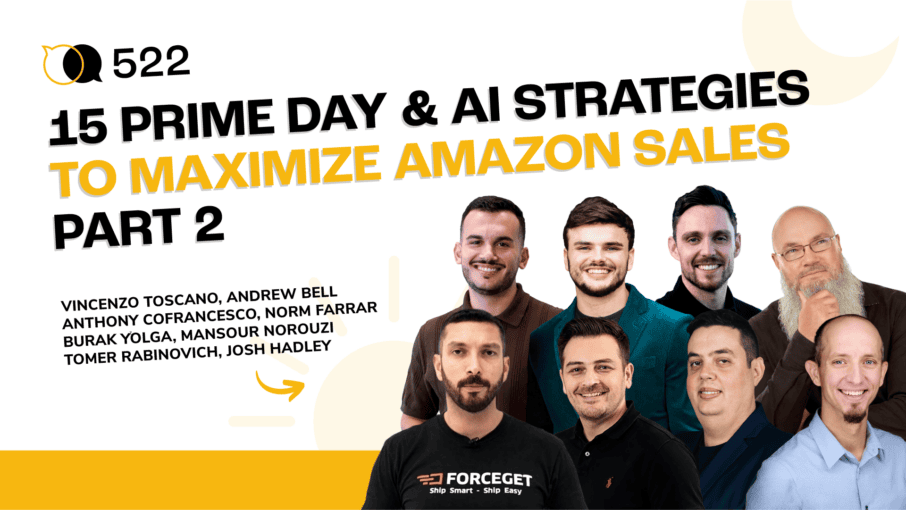
#522 – 15 Prime Day & AI Strategies to Maximize Amazon Sales – Part 2
Audio version above. Video version below
In part 2 of this two-part Prime Day strategy series, Shivali Patel and Carrie Miller bring together another lineup of Amazon, advertising, AI, logistics, and e-commerce experts to share what sellers should be doing before, during, and after major shopping events like Amazon Prime Day. This episode goes beyond basic discounting and looks at the bigger picture: retargeting high-intent shoppers, optimizing listings for both A9 and Rufus, improving product images, planning inventory, and using external traffic to create more sales opportunities.
The conversation starts with PPC and listing optimization strategies with Vincenzo Toscano, including how to build Sponsored Display campaigns around shoppers who viewed your products but did not buy, analyze competitor reviews with Helium 10, and track share of voice to spot openings when competitors lose visibility. Andrew Bell also walks through Helium 10’s AI Listing Optimizer, showing how sellers can use product images, buyer questions, keywords, and Rufus-focused prompts to create listings that are both searchable and conversion-friendly.
This second installment also dives into overlooked growth channels outside of Amazon. Norm Farrar’s strategy about how sellers should learn how Google Business Profile posts, offers, events, press releases, and deal communities can help drive traffic before, during, and after Prime Day. On the operations side, Burak Yolga explains why inventory check-in timing can make or break a sales event, and why sellers should think carefully about FBA placement, reimbursement audits, FBM backup listings, and omnichannel expansion.
To close out this two-part series, more experts like, Anthony Cofranceso, Mansour Norouzi, Tomer Rabinovich, and Josh Hadley share more ways to make smarter decisions with data and AI, from Prime Day deal structures and post-event remarketing to variation research, customer reporting, hiring workflows, and Market Tracker 360. Whether you are preparing for Prime Day, launching new variations, improving your product detail page, or protecting profit margins, this episode shows how the right preparation can turn a short-term shopping event into long-term brand growth.
In episode 522 of the AM/PM Podcast, Shivali, Carrie, and guest speakers discuss:
- 00:00 – Introduction
- 01:09 – Vincenzo Toscano’s Prime Day And AI Strategies
- 01:25 – Retargeting Shoppers With The Wishlist Snipe Strategy
- 02:40 – Using AI And Review Insights To Improve Listings
- 04:04 – Tracking Competitor Share Of Voice With Market Tracker
- 06:32 – Andrew Bell Shows Helium 10’s AI Listing Optimizer
- 09:49 – AI Product Image Generation And Listing Creative Tools
- 14:03 – Anthony Cofrancesco’s Product Opportunity Explorer Strategy
- 15:37 – Matching PDP Images To Amazon Shopper Priorities
- 19:44 – Using Google Business Profile For Prime Day Traffic
- 24:45 – Press Releases, LLM Visibility, And Deal Communities
- 29:17 – Burak On Prime Day Inventory And FBA Check-In Timing
- 37:39 – Mansoor’s Prime Day Deal And Advertising Timeline
- 48:07 – Using AI To Build Better Customer Reporting Dashboards
- 50:09 – Using Helium 10 Xray And AI For Variation Research
- 54:16 – AI Tools For Hiring, Team Updates, And Market Tracking
Transcript
Shivali Patel:
How to retarget shoppers who already viewed your products but never purchased, structuring your listings around the exact features Amazon shoppers care about most, and discovering Rufus ranking opportunities that most sellers miss. This and more on this week’s episode of the AM/PM podcast.
Shivali Patel:
Hello everybody and welcome to the AM/PM podcast. My name is Shivali Patel and I’ll be your host. And this is the show where we discuss all things Amazon, TikTok shop, and Walmart private label, and how to generate reoccurring revenue streams 24 hours a day during the AM and the PM, hence the name of the show. Get it? AM/PM podcast. And as a matter of fact, I was in Sofia, Bulgaria last week speaking at the Amazing Days event. And even though I was out and about networking with sellers in the Balkans, I was still making money online. How cool is that? Pretty cool, I think.
Carrie Miller:
This next person that I have up here is, he is a PPC expert and he has an agency and he’s done great things in the space. He’s, you know, very involved with a lot of conferences and just an expert in the space. So I’m going to go ahead and share his strategies right now.
Vincenzo:
Hello guys, my name is Vincenzo Toscano, founder and CEO of Ecomcy. And today I’m going to be going over my top three strategies when it comes to scaling brands on Amazon. More importantly, maximizing Prime Day and also leveraging AI. So let’s start with the first strategy of the day. So the first one, this I call it the wishlist snipe. So when it comes to Prime Day, a lot of people are looking to potentially buy something they’ve been branching for a few weeks now or a few days.
Vincenzo:
And that’s where a sponsor display can be super, super important here because essentially what you’re going to do is you’re going to retarget people who have seen your product, but they haven’t bought it, right? They have shown interest, they have engaged with the product, but they haven’t made the final purchase yet. So you want to have these campaigns in place. The second one is you also want to launch some campaigns around the specific targeting in your category, because let’s say you’re doing a yoga mat, right? You want to make sure that we sponsor display or even within Amazon Marketing Cloud, if you want to take it to another level, you can find people have this kind of interest. And you know that during this Prime Day, the interest in terms of potential to buy your product is going to be the highest.
Vincenzo:
And this is where these campaigns tend to be very, very powerful. And then the third layer is once you have these retargeting campaigns and also campaigns that focus on specific audiences, you want to essentially adjust your bids, especially 48 hours to 72 hours before essentially Prime Day goes live to make sure that all these campaigns are very, very intentional, can give you the max exposure that you want so you can get the most out of your Prime Day. So now let’s jump into the second strategy of the day.
Vincenzo:
So this is using AI. Now when it comes to AI, a lot of times people talk about how to write listings but I feel still with all the audits I do and all the conversation that I have with brands, a lot of people still don’t leverage the reviews kind of analysis that you can get out of Healing Time. Healing Time review insights super powerful, especially if you want to figure out the wins and losses of your competition. And it’s such a low-hanging fruit. This is something that will take you a few minutes and you can make sure essentially that all the things that your competition is doing wrong, or all the things that the competition is not really leveraging within the listing, you can make the most out of that. Especially during Prime Day or seasonality where the intention to our purchase is the highest, you’re going to make sure that essentially everything you’re describing on your product’s pages is as accurate as possible.
Vincenzo:
So therefore, go to your top competitors, use their review insight from Healing Time, extract all that information, and then you can use something such as Claude or chat GPT to essentially reverse engineer that and make sure you can have a copy that is very, very intentional towards the need or what the consumer is looking for. Because not only is that going to allow you to convert better, but we all know that also when it comes to Rufus, the more kind of intention you put behind every single word and also your images, that’s also going to give you more exposure on Rufus. And the final tip of the day, this is to do essentially with maximizing what you can do with Helium 10. And this is a strategy I’ve been using a lot lately. And it’s about trying to figure out essentially what is the share of voice of your top competitors. Share of voice at the end of the day really tells you what is the market share, right?
Vincenzo:
And how this market share is being divided among the top competitors in your specific niche. So here, what you essentially want to do is you want to create a market tracker within Helium 10, and you want to have your top 10 competitors. And on a weekly basis, you want to essentially track the share of voice, right? And the reason why this is going to be very, very insightful, especially if you’re preparing for Prime Day or just in general to get the most out of what you can achieve with Amazon is because usually when there is a drop on share of voice, a couple of things are happening. A product is going out of stock, or maybe they’re having an indexing issue, or maybe they’re reducing the advertising spend. And let’s be honest, when the share of voice of a competitor drops, that doesn’t necessarily mean that the market is having essentially a negative downfall in terms of sales.
Vincenzo:
So usually that gets replaced by another competitor. So what you want to do, you want to identify who these competitors are. Then you want to make sure you identify which are the keywords where they’re reducing the share of voice, and you want to increase your exact match type of search based on these keywords, especially the ones that you know historically you perform the best, because this is going to make sure that essentially you can get the most out of the lack of competitors that have been dropping on share of voice, and you can now become the one that has the biggest share of voice. And it’s going to also, of course, down the line, improve your organic ranking, which we know is everything when it comes to Amazon.
Vincenzo:
So those are my top three strategies. If you have any questions or you would like to connect with me, feel free to scan the QR code here on the screen. We’re more than happy to have a call, explore how we can add value to you. Here at eCommerce, we are a full service agency that specializes in growing brands on Amazon, Walmart, and TikTok. So anything that you need to make sure you can get the most out of these three marketplaces, we can make it happen. So that’s everything from me. Thank you so much for your time. And I hope that together with these tips and the ones you’re going to get from all your speakers, you can get the most out of Amazon in Prime Day and what is left of 2026.
Shivali Patel:
Next up, we have got somebody who’s an AI expert. We work with him very regularly here at Helium 10. Let’s go ahead and bring up Andrew Bell.
Andrew:
So one thing I wanted to show is something Helium 10 and I’ve been working on is the AI listing optimizer. What’s very unique about this is that it optimizes for every layer, both A9 and the AI side of Amazon, in particular Rufus, based in use case-based writing, things like that. I wanted to show you how it works. We’ve rolled out a number of updates. So for example, if you don’t have anything here, what’s nice about this too is if you don’t know the English language as well, this provides a great opportunity for you to use it. You have to really good input with product truth.
Andrew:
A lot of times, for manufacturers and stuff especially, my experience with roughly looking at 4,000 ASINs before all this is manufacturers don’t give you very much information. What an image can do speaks volumes. So what you can do now, instead of just one image analyzing, you can pick up to five. So if you click this and you hit analyze, what it’ll do is it’ll automatically fill this in. It’ll go through a prompt. We have an agent behind this. And then you can say, okay, do I want 10 bullet points? So obviously, let’s just say we want to do five. And if you want to enhance with Rufus here, it’ll go to the competitor’s page of whatever you want and reverse answer those questions just to make sure that you’re optimized for Rufus.
Andrew:
And so instead of having multiple clicks, this is an all-in-one generate your listing where it’ll analyze the inputs, the brand voice, buyer questions. Then from there, it’ll apply our high ranking keywords to boost visibility. It’ll go through all the logic there. There’s a lot of prompts behind all this. It’s powered by dbt551. And then it’ll go through and generate the keyword rich title with natural flow. And I’m big on it’s not, we don’t live in an either or world, right? We don’t live in an A9 world or just Rufus world. We live in a both and world of A9 and Rufus. And so paying attention to both and optimizing for both in a way that’s responsible to our listings, that’s of utmost importance for Helium 10. And so it’ll go through, it’ll actually do an audit. It’ll check for grammar, clarity, Amazon compliance as well.
Andrew:
And then once this agent is done, it’ll give you a listing that is optimized for both A9 and for Rufus is the key there. And it’s not just the Rufus answerability feature that it has, but it’s like it’s embedded within the prompts that it will optimize for Rufus. So then here I’ll give you the title and then each bullet like this, like that. And then you’ll see score here. First, the competitors over this, just like that.
Andrew:
And it makes it very easy. Again, we have the new image generation. You can add multiple Rufus or you can to Helium 10. And then another thing I built, which I was excited about is a, it’s called a product image generation router where I thought I did 50, but there’s 53. I think I did, I think I added in a couple where I’m like, Hey, I think I made these before. But it’s just called a stained glass artist. And that was when I made way back, I was like, I’ll include it. So it must be one of those three. But it describes what kind of the product image you need to get routed to the exact specialized GPT from a suite of 53 image generation tools or image generation GPT.
Andrew:
So I do have this one right here. So I just did the product image generation router. And then now let’s try and upload an image here. I tend to stick with the home decor category. Plus, I think it’s harder. So it should, should work very well here. I recommend always using the thinking mode. I’m thinking modes always, I think like a secret hack to like, you know, make anything better. So you’ll submit the prompt here. And then as that’s going to, here’s the image generation GPT. What it’ll do first is it’ll predict, you know, the identified product, there’s three column feature grid concept, the image prompt sets here. And then, you know, you would just put, and I’m going to continue to iterate on this, this isn’t just some one-off GPT I created, this is something I’ve been working on for quite a while.
Andrew:
And so if there’s any bugs in the system, I want to be able to fix them right away. And frankly, a GPT is only as good as the input that gets into it. So again, one of the things about thinking too, is it like allows you to create more images as well on several of the other GPTs that I have. While that’s going, let me show you, see if we can get them all up here. Explanation marks do work by the way, it’s not a waste of tokens. So you can do for main product shots, for example, so hero 45 degree angle shot, self-care lifestyle, feature callout infographic, how-to infographic, specs data sheet, icon based feature grid, before and after split screen, side-by-side comparison, size variant lineup, trust badge layout, you have packaging and bundles, you can do product unboxing, A plus banners here, and then A plus features, and then A plus comparison and brand. So you have a host of A plus GPTs that you can use.
Andrew:
Yes, I have tested every single one of these, so I know they work. Right now, I’ve tested them probably, honestly, about five to six times each. I’ll continue to, obviously, because there’s 50, but I’ll continue to test it for you guys. So that way, and then you can also expect some very good things to come in Listing Builder, you know, that’s somewhat related to that. And then also general purpose, if you’ve ever used Amazon’s Creative Studio, you can use that to fill out like all this, because it’ll have you fill out like a bunch of stuff when you’re on there to like create a video, and so it’ll give you the prompt, you can upload your product image, your pre-erase, and it’ll already do it for you, and then you can plug that into Creative Studio. All right, let’s see what we got here. So you can see it’s creating multiple, like so, so feature callouts here. So you can see the accuracy is insane these days. This is using the new image generation model here. I’ll show you. Like so. So you can see the level of detail there and accuracy. I choose these type of products because it’s very hard to get the accuracy of them.
Shivali Patel:
Amazing. Thank you so much, Andrew. Coming in with some fire strategies.
Anthony:
All right, what’s going on, everyone? I’m Anthony Cofrancesco from Titan Network. I’m going to keep this super quick today. The strategies I like to give are the most simple. This one is really simple, and you have plenty of time before Prime Day to go and execute. So I call this my H1 hypothesis, and it’s that your product detail page is going to match Product Opportunity Explorer. There’s a lot of GPTs and AI out there that’ll go try to figure out what should be on your product detail page. But Amazon actually gives you all of this with their AI niche analysis. So the workflow is extremely simple. You just go into Seller Central, you click on Growth, and you click on Product Opportunity Explorer. Then you type in your hero keyword or your search term and then choose it from the list down below. You might have to do a little bit of searching, but it should show up.
Anthony:
Now, what I’m going to spend time on covering today is the top product features. There are five or six pages here of insights. This is what Amazon is telling you customers want about the product related to this search term. So I’m going to look at the top features today. This is a really finite and simple way to look at this. Sometimes you have to do a little bit of like, if your exact search term doesn’t show up, you have to think a little bit more creatively. So what is the most relevant search term out of this list? Not every exact search term is going to show up. We’ll make it make sense in a minute.
Anthony:
So what you’re going to do is you’re going to pull up your product detail page and you’re going to compare. Let’s start off with your secondary image stack and ask yourself, out of the top features that Amazon tells me are most important about the product, what concepts am I missing? What concepts are on my PDP, but they’re in a different order than what Amazon is telling me is important. What concepts do I have in my PDP, but they are buried in graphics that are very busy. They contain multiple other points. And then what concepts do I have, but the images are not visually impressive or they could be improved from a visual standpoint. So I’m going to go through two examples very quickly. And some of it’s no generation required.We’re just talking about reordering images.
Anthony:
So the first one is a walking treadmill. What Amazon tells me is the most important features are multi-mode design, incline capability and handlebar integration. So when I look at the current PDP, we have some of these features like multi-mode, the incline capability we have here in handles, but it’s a slightly different order than what Amazon is telling us is the most important. So the thought here is, in this case, could I just reorder the images in my secondary stack so that I match the order that product opportunity explorer is telling me. So here we’ve got our incline, then we’ve got handles, then this should say the four functionality. Oh, these are just our first three images. So we have all of these concepts, but they’re just in the wrong order. So this is how you would move things around, right? I’m going to move multi-mode to position one.
Anthony:
I’m going to move the incline to position two, and I’m going to move the handles to position three. So in this case, we had all of the concepts. We just needed to do a little bit of reordering. This is what it would look like in the final. This is something that is very easy to run through, manage your experiments and just see. This is a hypothesis that you can test. And you’re just trying to see if my PDP matches product opportunity explorer, will I get a higher conversion rate? So I’m going to go through one more example very quickly. And this is on a meat injector. This is the current PDP. You can see a lot of the secondary images are very busy, multi-featured graphics like this one and this one and this one. What Amazon says are the three most important features of the product. Number one is stainless steel construction. Then we’ve got multiple needle configuration, and then we’ve got the capacity of the barrel. How much liquid does this thing actually hold?
Anthony:
So again, when I look at the PDP, we have some of these concepts. We talk about stainless steel food grade materials here. We show in this inclusions graphic, some of the different straws that you get, but they’re busy. These concepts are buried into these very busy images. And we don’t have any graphic that addresses the large capacity barrel. Amazon is telling me this is a really important feature of the product. It doesn’t exist anywhere in my secondary stack. And for this entire niche, not one seller has a graphic that addresses barrel capacity. So this is very common. We have these concepts on our PDP, but they’re buried in very busy graphics. This is the beautiful world like Kamal was talking about earlier. We have tools that we can generate images in just a few seconds.
Anthony:
So now you can see, instead of moving around images, we didn’t have those image concepts in our PDP. So it wasn’t just reordering the images. I had to do some new generations. So look at what I’ve done in just a couple of minutes. We’ve got our first graphic being about stainless steel. Then we’ve got our second graphic being about the different needle types that are included. And we have the third graphic, which is not seen anywhere in this niche in which we’re addressing barrel capacity. That’s pretty much what I’ve got. And you could just generate more images all day. That’s where I’ll wrap up. But check out Product Opportunity Explorer, widely underutilized. Go have fun.
Norm:
Okay. So today, I’ve got a strategy that not a lot of people think about. In fact, it’s 1% of brands are using this. And that’s Google Business Profile. Now, I’m not going to get into the whole how to set it up and everything. I’m going to get right in to the best possible thing you can do for pre-Prime Day. And yes, pre-Prime Day, Prime Day, and then post-Prime Day. And that’s this little thing over here. When you set up your Google Business Profile right here, click it, claim it. And then when it is set up, you want to go here to post. Nobody is thinking about this. Come over to post, go add a post.
Norm:
There’s three, update, offer, and event. For the first one, I’m going to save putting some information in for the offer and the event. But you can put in a description, up to 1500 characters. And what I like doing is just taking a bunch of keywords. You can put in chat GPT or Claude, throw it in there. You can drag and drop an image in a video and you can schedule it. So maybe it’s a week or two before Prime Day, a week, sorry, two weeks before, one week before, a week after even for those other sales. But here’s the thing that I love is the button. So you have the call to action button right here, which you can order online, buy. And one of the things that Google loves is not only can you target your Amazon store or your specific product, but you can target Shopify or you can target Walmart. So it’s not specific to one product. So you can throw in anything that you want.
Norm:
And then of course, you can link back to it, which is really cool. Now, what did I do? I’m old. Okay. So let’s go over here and I’ll show you an actual example. Come over here, go to, no, go to event first. So I just got to get some information. All right. So I’m going to have an event. What’s an event? Prime Day. So you can use this, you can go in and create a, I’m just going to use some, something I put up here. It’s probably faster if I just type it. Okay. Title, simple.
Norm:
All right. And then I’m going to just either have a small, I’ll just put this in here, description, but this can be 1,500 characters, but something small, but here’s the beauty of it. I want to add my video there. Okay. I can add photos and I can add a variety of photos. I can pick this one, this one. There we go. And you can have a start date and an end date. Now, this is why I’m saying you can do this pre-Prime Day. So there’s usually a lull coming into Prime Day because people are waiting for Prime Day. But if you can reach people that are waiting and you can give them an additional discount or get in front of them you might get some extra sales. So this also you can schedule, but you can come down here and do that button as well.
Norm:
Now people don’t think of this as an event. Well, Google thinks of this and we’ll weigh it much higher. Whoops. Let’s see. Much higher than just an event because it’s dated. They’re going to weigh it more than it would at a regular post. And that’s the exact same thing with the offer. So you can put in the same title, whatever description you want to start date, the end date, the same information I just put in. And down here again, you can put in your coupon code. So you can take a coupon code or a link or we don’t need terms, but there you go. So you can add a post Prime Day or a pre Prime Day or post Prime Day with a coupon code. Now I think this is really cool.
Norm:
So I just went through this really quickly, but if you go and get into a Google business profile and you play with update, offer an event, you’ll be surprised at the quickness that Google will index rank and drive traffic over to your site. And remember, you can use Shopify, Walmart, and that other one, Amazon. You have to set up different events or offers or updates, but it all goes to all three. So you’re not stuck with just one, which is pretty cool. Now, the next thing that ties in perfectly is press releases. So what we want to do is we want to get indexed.
Norm:
So Prime Day is great, pre Prime Day is great, but how do I get index and the LLMs? Well, that is to create a press release. The old press release, I’ve been doing this forever. It is a solid way, first of all, to get hundreds and hundreds of white hat citations, which LLMs love. They will get this one in particular we did for Kevin’s event just a couple of weeks ago, but we got indexed for about 20 different keywords from an old article that we did some content syndication from 2019. We just wrote it for the LLMs nowadays. And all of a sudden we got indexed everywhere. We got 5,000 or almost 6,000 links or click throughs. We got on Google AI. We got into Google news. We got onto nine podcasts. We got into all the LLMs and I will show you.
Norm:
Okay. So this is within 24 hours of publishing it. We were indexed all a bunch of different keywords. Some of them were longer tail, but this is just a few that we wanted to pick out. We didn’t spend any time on this. I said to my son, hey, go and find out what we ranked for. And he did. And there was probably a ton more. So imagine the power of being able to go out there and do something in Google maps, set up an event, and then do this and tell them about the event. And all it has to do is be newsworthy. So if you can create a newsworthy title and create that press release or usually go to a company that can do that and then have a good distribution network, not a crappy distribution network. If you see Reuters or MarketWatch or Yahoo Finance, those are quality newsrooms.
Norm:
If you see Digital Journal, nothing against Digital Journal, but that’s just a low ranking one that a lot of really poor distribution centers will sell you on. So just be careful of that. So I can take, depending on your budget, a pre Prime Day event, write a press release. I can do a Prime Day event. And then if I wanted to get additional sales, do a post Prime Day. And because it’s an event, it’s going to rank quick on Google. You’re going to link this to that and you’ll get those extra sales. Now I do have one more. Just go to different deal communities. So most of these deal communities that are out there are Amazon affiliates. You can select a child variation and put it at 30 or 40 percent off. It’s a significant amount, right?
Norm:
But your other child variations, you can put at a less amount, like 5 percent off or 10 percent off or not at all. And people will come there. They’ll go to your site. They will see this and they’ll see this huge reduction. Now, the beauty of going to a deal site. So you can go into a Facebook group and go to a deal site and you post a deal in there. There’s all sorts of other deal sites that are in that deal site community that will pick it up. So you’re not just getting one, you’re getting multiples. But a tip. So usually you want to create a generic coupon. You do not want to do something custom. So it’s for XYZ group. You don’t want to say XY group, 35 percent off because the other deal sites don’t want to promote that group. So what you can do is create a non-stacking promo code if you reach out to separate deal groups.
Shivali Patel:
All right. Next up, we’ve got a global logistics expert. We’ve got Burak.
Burak:
Hi, everyone. My name is Burak. I’m the co-founder and VP of sales in Forceget, a global supply chain. We are an Amazon global selling partner. I lived in China seven years. I had a sourcing company that I had a B2B brand and then I started Forceget. So today I will be talking a little bit about the importance of inventory management before the Prime Day. So far, probably we’ve seen around 13 to 14 hacks. They’re all super cool if you have the inventory checked in on Amazon on time. So this is like one of the biggest challenges a lot of brands are facing right now. As you know, very high FBA fees. Amazon is charging close to 55, 50 to 55 different FBA charges.
Burak:
And you want to make sure that your product gets in on Amazon on time. A lot of brands, they actually don’t understand how that works. One of the ways that I can explain to you is when you ship your goods to one location, especially you’re okay to pay the placement fee and you ship everything to one location, you still need to wait Amazon to distribute these products within 40 to 50 fulfillment centers. That takes average 45 to 50 days. By the time you deliver the goods to one location, Amazon needs to split them according to your historical customer purchase data, according to Amazon, other competitors’ data. So Amazon needs to distribute these products close to 30 to 40 locations. It may take up to two to three months to check it. So this is something you need to be really careful about before your products become eligible to sell on Prime Day. It doesn’t mean that when you ship the product or it says on Amazon fulfillment center, Amazon seller central, your product is checked in.
Burak:
It doesn’t mean that it’s fully checked in. It still needs to go different location. So I recommend you instead of, especially before the Prime Day, I recommend you to deliver your inventory at least three to five different locations. Why this matters? Because then you will have smaller batch of goods delivered to Amazon FBA.And then it’s going to take Amazon faster to distribute from different part of the country, especially a West coast, California fulfillment centers are more congested than the East coast. We see average 15 to 17 day faster checking time in the East coast. So, plus if you do that, you’re not going to pay a placement fee. This way you can actually save money on delivering to Amazon FBA.
Burak:
And also your inventory, you’re going to check in faster. If you don’t have inventory, you can’t catch the Prime Day. So another thing is if you do a big sales on the Prime Day, you need to make sure that Amazon also make a lot of mistakes, especially we see higher loss damage products in the Prime Day or in the fourth quarter. So you need to make sure that you double check your Amazon manufacturing costs, how much Amazon actually entered that. We have seen some cases that people are actually losing money in the lower side of the manufacturing costs, Amazon enter manually. So if you don’t adjust that cost, you probably will have the default rate. So it can be probably much lower. So you need to be careful on that. Long-term storage fees, probably something that you’re spending money on, especially this is one way how you can save money on using AI.
Burak:
Inventory is not something that people love dealing with. It’s not very sexy part of it compared to creating TikTok ads or drive organic traffic to conversion, but it’s very important. It can be a huge write off from your profit. So you need to be careful and look at which inventory is going to become stranded inventory and you will be paying actually more money. So it can really impact your lending costs. More importantly, we talk about how to sell on Shopify, TikTok. Yes, prime is important, but if you are strong in social media, so you actually looking to go omni-channel, you should be careful with your multi-channel fulfillment Amazon option, the cost-wise, because it can really kill your margin. So if you’re not good at inventory management or understanding your lending costs, you can download your inventory reports, your payment reports, and you can put them in to analyze for you to see, especially if you have a large catalog. If you don’t have 80% of your catalog is hero SKUs, you have a lot of like social inventory.
Burak:
So you should kind of do that and then kill that inventory earlier. Either you liquidate it, you can run promotions, you can do omni-channel just to go to multiple different locations, just to sell it to make sure you don’t actually pay long-term storage. That’s really killing it. So basically this was the idea, like the placement fees, how you can increase your check-in time. It’s super important. Again, if you can’t ship your products into Amazon FBA on time, it means that you cannot really make any sales or you will have issues. So I also recommend you to create FBM listing for your hero SKUs. If you have inventory on different 3PLs or your own warehouse to create a FBM listing, if you run out of FBA inventory, or if you don’t have enough limit to ship them as an FBA, it makes sense to create FBM inventory. So you’re not going to see a huge drop on the bestseller rank because your FBM, but at least you will have continuous offering.
Burak:
So you don’t lose sales to the competitors. The Helium 10, what I actually like to talk a little bit about expanding to other marketplaces, when you find a good selling product you have on your Amazon FBA, or if you are looking to launch a new product, you can use Helium 10 to go open those SKUs in different marketplaces. And you can start increasing your revenue in different marketplaces. This is something that a lot of brands we are talking this year is either companies are trying to do omnichannel sales, such as Walmart, Shopify, TikTok, or Etsy. And the second strategy everybody’s talking is how to sell in different marketplaces, like different countries. Amazon Canada is a great marketplace. Europe, Australia is a great marketplace, depending on your product category. So basically distribute your inbound across five fulfillment centers, run a post-Prime Day reimbursement audit to make sure your manufacturing cost is correct. And use AI to rescue the debt inventory and audit fees.
Burak:
Don’t forget it’s the time to be profitable. Cashflow is very tight and you need to speak to your vendors, your suppliers, your freight forwarder, the 3PLs that you’re working with for better payment term. So this way you can actually have better cashflow to make sure that your business is stable. Most of the brands, after they do go to omnichannel, the next step for them is retail business, which requires 60 to 90 day cashflow, but that’s how you can become a brand. And the way retailers are going to reach out to is to see you omnichannel, they trust your brand, you can manage your inventory successfully. So this way you can have a brand, not just Amazon FBA business. Thank you.
Shivali Patel:
I would like to introduce our next speaker who is the partner and director of advertising at Incrementum Digital. They manage over $6 million in ad spend per month. Let me go ahead and bring up Mansoor.
Mansoor:
I have two slides. One will be about Prime Day and the second slide will be about AI and skill that I’m sharing. So about Prime Day, I have this timeline of the lead-in, during event and lead-out. I’m gonna share some of the notes that I think they are very important and very helpful if you use them. Starting with lead-in and the shopper behavior. Since we see before Prime Day events, the customers are searching, they are browsing, and they are adding to cart or saving from the data that we have across more than 100 brands. We can easily, obviously see what is happening with the impressions and add to cart. So this is something which is happening. And for that reason, what we always and I’m recommending is that 5% to 10% giving coupon will make you stand out when the customers are searching and browsing.
Mansoor:
And they will add to cart, save later for the purchase during the event. But this coupon is gonna help you stand out against other brands that they might not be running the coupon code. So this is very crucial. We are running this and we see results from that. During the event, what is happening is that first, something that I have noticed, most of the brands only think about running best deals. But what I’m going to recommend you to save money is having a hybrid approach of the best deal and Prime exclusive deal.
Mansoor:
If you don’t know, this year, Amazon changed some pricing. And for both of them, for best deal and Prime exclusive deal, for both of them, the fee is similar. So it is 100 upfront plus 1.5% of the sales, which is capped at 5k. But there are some very crucial differences here is that with the best deal, as you know, you could run one best deal and one parent listing will be in there. So if you have, let’s say 30 listings, you have to run 30 different best deals to include all those listings in the Prime deal. But for Prime exclusive deal, you could run one Prime exclusive deal and add as many ASINs as you want in that Prime exclusive deal campaign.
Mansoor:
Now, if you want to go with 30 listings, all with the best deal, 30 multiplied by 100, it’s going to cost you 3,000 upfront plus the sales that it’s similar for both of them. But if you take a different approach, let’s say you have five hero products that you know they are going to kill it, but the rest of your products are slow moving or whatever it is. And you don’t want to pay 100 upfront per listing for those products. The way you could approach this is that create five best deals. So it’s going to cost you 500 plus create one Prime exclusive discount campaign, add all of your listings with how many variations that they have. This is going to just cost you 100 bucks.
Mansoor:
So in total, you’re going to get the total fee will be 600. Now, not only that, you got to pay also attention that Amazon says that cap 5k for each of them. So for Prime deals, for best deals, it’s going to… The fee will cap in 5k for every parent. But for this Prime exclusive deal, let’s say you added 25 products. As a whole campaign for all the products that you have there, the caps will be 5k, which is great if you are selling more than. I don’t want to do the math. But if they pass that fee of 5k, your cap for all of those 25 products. So that is the difference. And definitely I would look at it because the badge that you are getting is definitely different. It’s similar. The main difference is that in the Prime exclusive discount, it is going to be only for Prime members that if you have a slow moving product, I would say mostly from the data that we see basically 70% to 80% of the buyers are the Prime members.
Mansoor:
So you got to see if it makes sense for you to run this deal or if not, take this approach and use one Prime exclusive discount for all of them. One side note that I didn’t mention, I just noticed that if you run… If up to tomorrow you schedule your Prime deal, Amazon is giving a discount of $50 for this. So if you haven’t set up your campaigns, if you set up up to tomorrow, which is the kind of deadline for that discount, Amazon will make this $50 per each of these campaigns. Now, in this case, what I would highly recommend because I have created… I did this analysis for my own brand, which is a supplement brand, is that during the events or during any lightning deals or best deals that I’m running, I noticed that I get so many of buyers that are just hunting for the deal. So my product is a supplement. I run first time coupon for the subscribe and save. I noticed that many of those customers, that shoppers that purchase the use the best deal and use my first time subscribe and save coupons, they don’t come back for the second subscribe and save. They purchase once and it is over. So for that reason, I have got some learning. That’s a whole another presentation.
Mansoor:
It’s going to be long. I have come up with a conclusion of how I should combine these kind of promotions to make sure that if I want to increase my subscribe and save, or if I want to bring repeat customers, I’m not losing money. I’m bringing some people that they won’t purchase the second. So that’s very crucial. Make sure at least during the event days, look at your other coupon codes. Make sure you are pausing them. Otherwise, if you leave them on, you’re going to see these are stacking on top of each other and you’re going to lose money and profit because maybe you forgot them, especially this first time subscribe and save. For sure, remove that because your goal is to bring more subscribe and save if you have a CPG brand. But in reality, these people that are purchasing during prime event and using all these coupons, from what I have realized that 70% of them won’t be back and you’re losing money for people who are not going to come back to your brand and purchase.
Mansoor:
So that’s another issue. For lead out, what I would suggest is that most brands pull back because they’re like, okay, event is done. No one is going to purchase. Let’s get the price back up. I would highly recommend add some coupon codes on your listing because there are some people that they miss Prime Day and then everyone is pulling back. If your brand has this badge giving discount, you will capture those customers who have missed their prime event. Now, few notes about the ads advertising as well. For the lead in, I would highly recommend for our brands, we mostly recommend this as well, is that go create a Prime Day shop, make a draft. It’s a version with Prime Day version with the deal page with the promotion.
Mansoor:
Promo messaging that is, of course, compliance with Term of Service of Amazon. Create that as a draft. And as soon as Prime Day is on, switch to that version of the store for the duration of the Prime Day. The second is that two days before Prime Day, we see huge increase in the impressions and decisions from the users because now they are exploring more. Prime Day is coming. So for that reason, we increase our budget 20% before Prime Day above what is our average daily spenders because we know that there’s traffic there and we’re going to grab them. And we are not looking at sales because we know they will add to cart and they will save it. They will purchase later in the event. But just keep that in mind.
Mansoor:
If you are looking during the event, during these days, the two days, you will see that, oh, my taco is going up or a cost going up. But if you come back a week later after attribution, after the Prime Day event is done, then you look back, you will see the sales now got attributed here and you will see your TACOS is going down. So try this two days before Prime Day, try to increase your budget. In terms of during events, what we are doing is that now that we have this Prime Day version of the store, we are more aggressive with our headline ads, with our video ads that are driving traffic to the store. And you are driving to the landing page in our Prime Day version. In terms of sponsor product, sponsor display, I highly recommend go and see, do a research, you can use Claude, you can see Helium 10.
Mansoor:
The brands that are not running deals, go and target them because don’t think all the brands running this deal, Prime Day deals for the event. Target those products to make sure because now you have an amazing offering, you have deals. So make sure you are targeting those products. And for lead out in terms of advertising, if you have a CPG brand, supplement brand or whatever it is, make sure you are doing view and purchase remarketing. You have got all these shoppers. Now moving forward, you want to bring them back to your brand to increase your repeat purchase, make them loyal customers. So make sure you are using them. In terms of the audience, the same thing. Engage with those customers.
Mansoor:
And AMC, I don’t want to go to the AMC. There are so many ways with AMC. Also, you could go and get the pull of those audiences and target them with Amazon advertising. And don’t forget about turning off this brand tailor promotion. This is a great segment with brand tailor promotion. People who added to cart, but they haven’t purchased, go target them again. So this is about Prime Day. Now about AI, one AI strategy, it’s one report that I use for the brands and for my own brand is that one issue with Amazon is that Amazon has these data, but they are in different places. One of the important part of reports that you want to see is that what are your total customers? How many of those are new to brand customers? How many of those are repeat customers? What is your repeat customer rate and purchase rate? What is your customer acquisition cost? You don’t have this number anywhere on Amazon. What is the land customer acquisition cost? And what is your customer acquisition cost divided by average order value? Like how much you are spending versus how much the average order value is. LTV is something else. I don’t want to get to that LTV here. But the interesting part is that Amazon already gives you these reports, but it is in different places. So I’m going to come back here so you can scan this.
Mansoor:
You’re going to get a cloud scale that gives you these two reports and will give you these charts. It’s going to split this in Claude code with all of these scorecards, monthly charts for total customers, repeat purchase rate, customer acquisition. All of this information comes from two reports. But Amazon has this, but not this view that could help you to have a better understanding of what’s happening with your brand. They just put it in brand metric. It’s the worst. Usually, Amazon is worse in terms of how they present data. So this scale is going to give you this dashboard by just providing these two reports. And feel free to scan this scale, upload it, and take it to Claude code so you can use that. If you have any questions and issues with this, you could reach out on LinkedIn. Here’s my LinkedIn profile.
Tomer:
Hey, I wanted to show this very quick thing that I’m doing with Helium 10. And this is my favorite thing to do with it combined with AI. Okay, so I’m supposed to share two tips. I’m going to share one that combines both of them together. Let me share my screen here. So I typed in kids fort building kit. Okay, as the keyword here. And I just this is, let’s say this is the product I’m thinking about launching, or I’m already selling. And I’m trying to figure out which variations should I start with? Should I do like, learn the dark? Should I do blue or green or whatever? I don’t really know which one I should go for.
Tomer:
And analyzing this is going to be a hassle, right? And there are different price points. And it’s like a lot of different competitors saying the same thing. You can see these ones are going in the dark. So what I’m doing is I’m going to X-ray. And one of the things that I love about x ray right now is it gives you the full breakdown of the variations. So if you will open up one of them here, it will open up all of the different variations this product has. And it will tell you like the sales for each of those, if they have any. So this is like the ascent sales. So what you need to do because right now I cannot export this unfortunately, as is because if I click export, it will only export what I’m seeing what like I will, if I open this one up, and then this one up, this will open and the other one will close. So my goal is don’t all the variations, right? And then use charge PT to analyze which one should I launch.
Tomer:
So what I’m doing is I ended up opening each of them in a different tab. Okay, I just opened each of the listings in a different tab. And then I click on X-ray. And then it will show all of the variations here. So I will export this to a CSV file. And I will do this for each and every one of those listings. Some of them will be the same listing you will see here, like the top two are the same listing. For some reason, they this shows up twice, some variations these they show up twice. So don’t worry, the prompt will know how to ignore those and not showing duplicates. The other thing you want to make sure when you’re doing this is always filter hide sponsor products from results. So after you download all these CSV files, you will go to ChatGPT. And you will use this prompt here.
Tomer:
Okay, so I’ll put in multiple Hilton x ray files. And then you will just drag those files in here. And then you probably don’t need more than that from analyzing like competitors or any product or whatever. So then you will go ahead and click here, I want to save this time. So I already did this. So this is what it looks like when you upload. So I put the files put the prompt in, and then we’ll give you the full breakdown based on the revenue. So you can see 104 piece standard makes the most revenue here. And you can see how many pieces they have. Is it glow in the dark standard. And it’s like a very simple way to just see which variations do really well, then you see sales here by variation. Then you see review distribution, like which variations have the most reviews, and then tells you where’s the opportunity by variation.
Tomer:
So it combined all of them together, it tells you where what you should do first. And then I added this at the end. So if one of those is your products, you can just mention it below. So all you need to do in this case, let’s say you’re already selling this and you want to know which variation should launch next. So you would go back to the charts on top, you will click among the essence here. That’s what I did. And I did that here. So this is my product. And then he just tells me, okay, got it. I zoomed in your specific listing database. And then just tells me exactly what they need to do next. So this is like a very quick app to tell you which variations you start with which version should launch next for your products. Yeah, have an amazing crime day and amazing time.
Josh:
So today, let’s dive into the three AI tools first. Number one, creating a role profile. Most people have a challenge when it comes to crafting a job description and a role profile for any new role that they want to hire for in their business. Oftentimes, this is how in depth you want your role profile or the job description to look it obviously lists some of the KPIs, so that you know whether a team member that you’re about to hire is going to be winning or losing in their individual role and gives them clarity of like, what in the world they need to be doing in their new responsibilities. Now, this used to take me six to eight hours to create something as in depth and well thought out just like this. But instead, we flip this on its head, my entire team uses this now. And this is produced in 15 minutes. So how we do this is number one, here’s a Google Doc template that you can follow. But you get access to this custom GPT that I created that my entire team uses as well to create their own custom GPT and complete this in 15 minutes.
Josh:
The next tool that I use is a weekly CEO update newsletter. So every Monday, I record like a 10 minute loom video, sharing with the team, some of our wins and some of the updates, the initiatives that we are working on. And then guess what I do, I take that transcript, send it into a custom GPT and it creates a fantastic email newsletter that I then send to our team so that they know where we’re going as a business and what needs to happen next.
Josh:
The last AI tool that I want to share with you is a hiring recommendation. So I have an hour long video about the seven step process for identifying a plus talent. Well, guess what, when you find somebody from those interviews, you upload them, you upload the interview transcript, you follow my process here, and this will spit out the number one recommendation of who you need to hire. Now this last tool that I want to dive into here is the Helium 10 tool that we are currently using in our business. This is using Market Tracker 360. It is one of the most utilized tools that my team uses every single week to beat our competitors. And so what does that mean? What does it look like? So first off, Market Tracker 360, this is what it can look like.
Josh:
What I have highlighted here in the red box, this is the most important aspect. It tells you, hey, for this in total market there, you know, you had 59 million units were sold and the amount of revenue. And then guess what? I can look at that same market and see what happened to my business. How many units did I sell? And you can see, hey, our units were down, especially year over year, whereas the market is up. So if the market is up, but I’m losing market share year over year, that means there’s a problem. So that’s what we dive into. You can see how to set this up. You use Cerebro, add your ASIN, it will find like-minded competitors. You add those brands, you set up your market. And from there, you now have competitors that you can track and any new products they launch get added to Market Tracker 360.
Shivali Patel:
Thanks so much for joining. I am going to sign off now.
Enjoy this episode? Want to be able to ask questions to Leo Sgovio live in a small group with other 7 and 8-figure Amazon sellers? Join the Helium 10 Elite Mastermind and get quarterly workshops, monthly training, and networking calls with Leo at h10.me/elite
Make sure to subscribe to the podcast on iTunes, Spotify, or wherever you listen to our podcast!
💰 Get Helium 10 with a special discount to start or scale your e-commerce business here: https://h10.me/h10
Want to absolutely start crushing it on eCommerce and make more money? Follow these steps for helpful resources to get started:
- Get the Ultimate Resource Guide from Bradley Sutton, Carrie Miller, and Shivali Patel for tools and services that he uses every day to dominate on Amazon!
- New to Selling on Amazon? Freedom Ticket offers the best tips, tricks, and strategies for beginners just starting out! Sign up for Freedom Ticket.
- Trying to Find a New Product? Get the most powerful Amazon product research tool in Black Box, available only at Helium 10! Start researching with Black Box.
- Want to Verify Your Product Idea? Use Xray in our Chrome extension to check how lucrative your next product idea is with over a dozen metrics of data! Download the Helium 10 Chrome Extension.
- The Ultimate Software Tool Suite for Amazon Sellers! Get more Helium 10 tools that can help you optimize your listings and increase sales for a low price! Sign up today!
- Does Amazon Owe YOU Money? Find Out for FREE! If you have been selling for over a year on Amazon, you may be owed money for lost or damaged inventory and not even know it. Get a FREE refund report to see how much you’re owed!
- Check out our other Amazon FBA podcasts including the Serious Sellers Podcast, as well as our Spanish and German versions!
- You can also listen to the AM/PM Podcast on YouTube here!
